In this blog, we will explain How to Reset Gabb Watch in a safe and simple way. Gabb Watch is made for kids and this smartwatch has many useful features for kids safety. It helps them stay connected with their parents while parents can track and monitor their kids easily by GPS tracking and emergency calling. It does not support internet browsing, games or social media which makes it safer for your kids. By reading this guide fully, you’ll be able to reset your watch without facing errors or problems. And if any error does appear, you’ll also find the solution here.
Sometimes the watch may start showing issues such as freezing, turning off again and again, network problems, or other glitches. After reading this blog completely, you will know how to fix these problems and reset your Gabb Watch smoothly.
Table of Contents
Why You Need to Reset a Gabb Watch
A device usually needs to be reset when it starts showing errors, the settings get messed up, or any other problem comes up. If you buy the watch second-hand or from someone else, you may want to reset it back to the default settings and set it up in your own way. There are also many other reasons, which we’ll explain step by step below.
Watch is frozen or unresponsive:
Sometimes resetting the device is the quickest way to fix small problems. For example if the smart watch is frozen or unresponsive it may not react when you press buttons or tap the screen a simple reset can refresh the system and get it working again.
You forgot the pin or setting lock:
If you cannot remember the code and your device cannot be unlocked, a factory reset helps you to reset the password and fresh it and make it as new as when you bought it from the market.
Preparing the watch for a new user:
If you are passing the watch down to another child or giving to someone else the setting it will erase your information and make it ready for setup again and make it run smoothly and your
data cannot go in this device.
Fixing minor glitches or connectivity issues:
If the watch is acting strange, not connecting properly or showing small errors are reset can help clear the problems and make it run smoothly again.
Things to Know Before Resetting
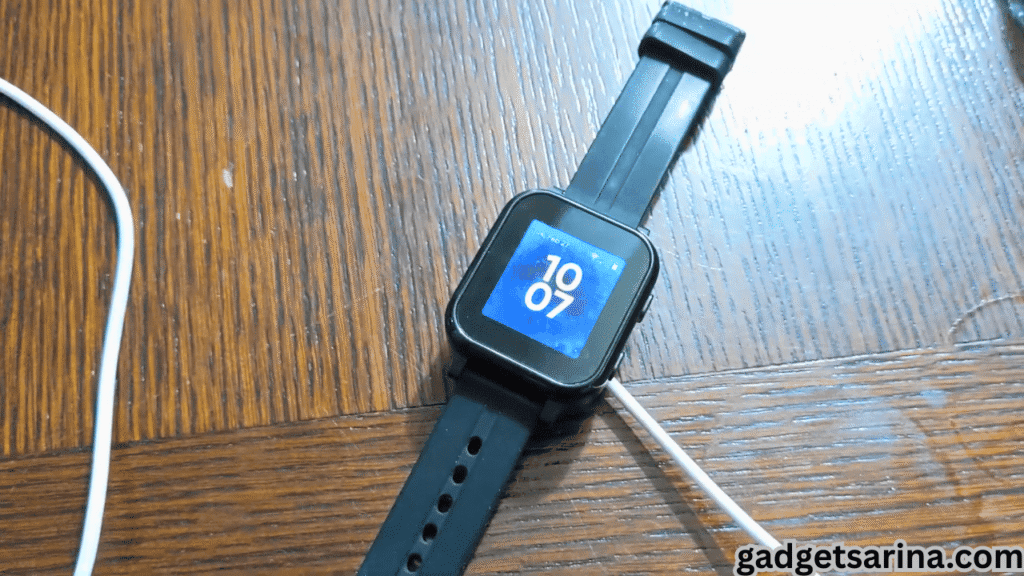
When you reset a device it is important to backup your data. If you want to reset a device like a smartwatch and any other device it is important to backup your data for no loss. Also make sure your smartwatch is charged above 50% because if the battery is low the reset may not complete and could cause issues.Backup your data like contact settings and messages.
- Charge your battery above 50%.
- Backup your important data such as contacts settings and messages.
- Plugin your watch to the charger during reset.
Note:Know the Difference:
A soft reset will not erase your data, while a factory reset will delete everything.
How to Soft Reset Gabb Watch
Before going to factory reset, first restart your device in normal boot mode if your device is lagging or showing error from the regular use and want a break. Because when you use your watch for a long time without reporting some viruses slow down your watch.
Step by step instructions for your device soft reset.
- Hold the power button until the device restarts.
- Wait for the Gabb logo to appear.
- Release the button and let the watch reboot.
- This method is very simple and complete without any data loss.
How to reset Gabb watch (Hard Reset)
When you use all the above steps that I gave you and your device cannot get back to normal then you will go to a factory reset. It means a hard reset and all your data will be removed from your device and your watch will start as a new without any error.
Step for How to Reset Gabb Watch in safely
- Turn off the watch.
- (On some models you may only need to press the power button( check your watch model if these steps don’t match.
- Inter recovery mode you will see a simple menu with options.
- Use the buttons to select wipe data factory reset.
- After selecting the wipe that a factory reset your device will be reset and all your data will be removed from your device.
- When you implement all the settings your device will be reset and start like a brand new watch and then you will adjust all the settings as per your needs.
Resetting the Gabb Watch by App
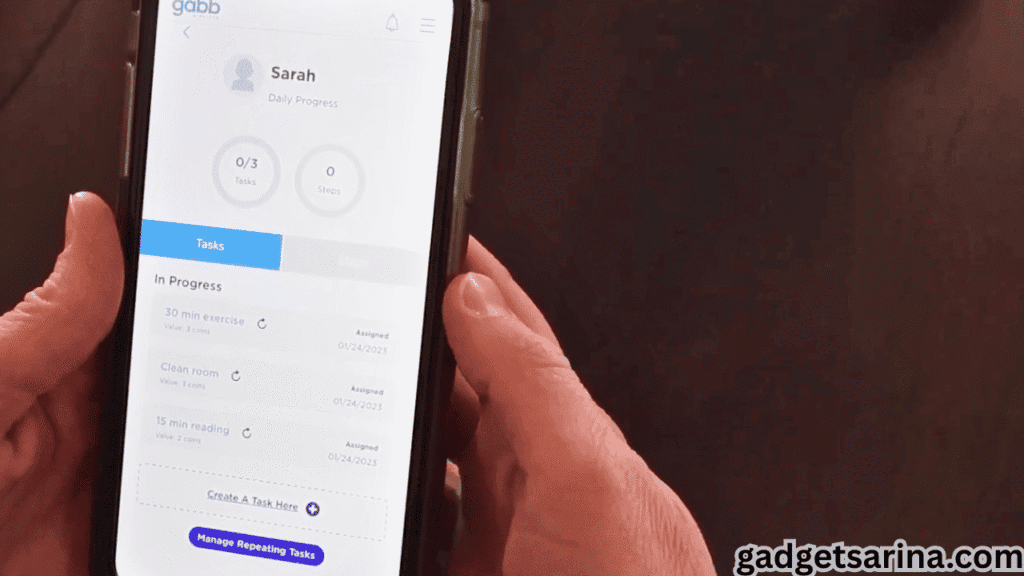
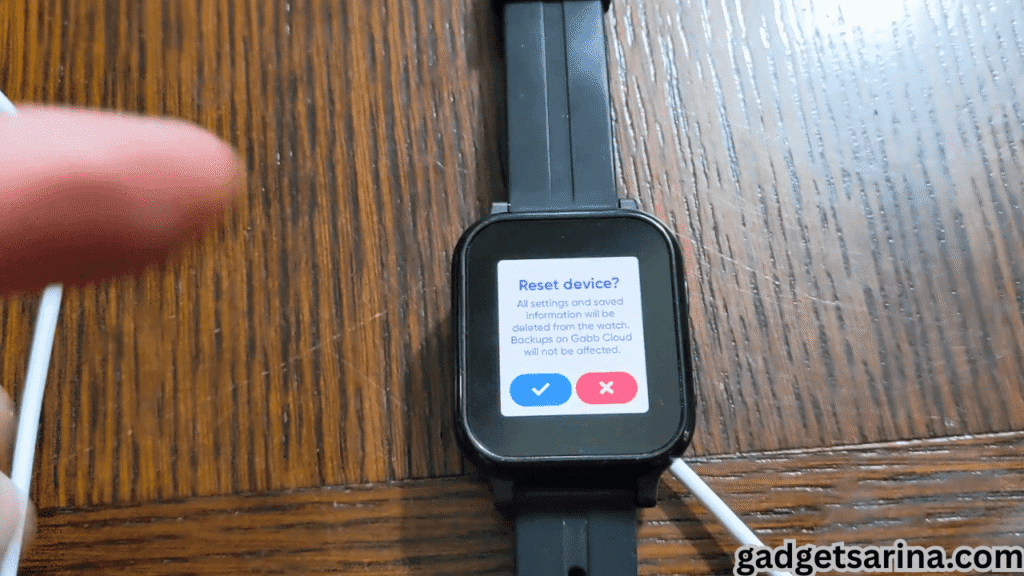
This is an amazing feature that allows parents to reset the gabb watch through the app from anywhere. This method only works if the Gabb watch is already paired with your parent account in the Aabb App.To reset the watch you need to install the Gapp App and an internet connection for reset the watch by following the below steps and be careful during this process.
Steps to reset the watch through the app.
- Log in: On the GappApp on your parents phone.
- Go to the “Manage” or Devices and select the profile for Which gabb watch you want to reset.
- Scroll to the bottom
- Click on the “Reset Device” and then confirm it for reset.
Important Notice:
Before resetting the watch keep your watch above 50% charge because sometimes reset takes some time and the device if not charged or plugin to power it may cause the errors and any other interruption.
Tips to Keep Your Gabb Watch Running Smoothly
To keep your device running smoothly without any error and disturbance you need to follow the below steps carefully and use your device in a safe environment. And always repair your device from company customer care support and do not try any repairing attempt at home without any knowledge.
- Restart your device regularly.
- Keep the software up to date.
- Avoid overloading.
- Do not add many contacts without any need.
- Avoid unnecessary changes in settings and keep the watch usage simple.
- Teach kids how to use the Gabb watch properly.
Conclusion: How to Reset Gabb Watch
Resetting the Gabb watch is a very easy and simple way to fix any errors and problems. In the above blog we explain each step for how to reset Gabb watch. Remember always try a soft reset first if your device makes any error because many problems are solved on the soft reset. It keeps all your important data without being lost.
Only go to a hard reset when you need a complete restart. After reset the issue is not solved then contact the Gabb Watch customer support they are always ready to help 24/7. With the complete care and regular updates your device will be reliable and safe from any errors and glitches and ready to keep your child safe and connected with parents without any stress.
Faqs
Q1. Can we reset Gabb Watch?
Yes you will reset your Gabb watch but keep in mind the reset will wipe all your data including contacts and any other if you save in it.
Q2. What happens if we lose our Gabb Watch?
If your gabb watch is lost or stolen it cannot be replaced under warranty. Always stay alert when outdoors to prevent losing the device.
Q3. What does the Gabb watch do?
This is a kids smartwatch for kids safety. It is an internet free device with so many useful features. This device has a GPS Tracker and Emergency Calling for your kid’s safety.
Q4. Will resetting remove GPS and emergency calling features?
No, resetting will only clear personal data and settings. Core features like GPS tracking and emergency calling will still work.

About the Author
Hello Dear Visitor, I’m SAJJAD AHMAD a tech enthusiast with over 5 years of experience reviewing gadgets and solving everyday tech problems. I write simple, honest, and easy-to-understand articles to help you choose the right devices without confusion. I compare products, break down features, and share practical solutions so you can make smart buying decisions with confidence.