Introduction
In today’s blog, we’re going to talk about what’s new in the Samsung S24 Ultra, how you can use it, and cover everything from screenshots, power off methods, price, features, RAM, memory, camera, and processor. You’ll get full step-by-step details of what’s added and what’s missing in the Samsung Galaxy S24 Ultra.
I’ll cover each thing in detail, including what I found positive and negative. So let’s begin with its display. And seriously, this is the best display ever in any smartphone.
Table of Contents
Display Of Samsung Galaxy s24 ultra
Positives:
- The display is incredible, crisp and clear.
- It has an LTPO 120Hz refresh rate that’s good, meaning it can vary from 1Hz to 120Hz refresh rate.
- The peak brightness is 2600 nits, making it one of the brightest displays ever in the samsung s24 ultra.
- Anti-reflective coating is a big advantage.
Compare it with my iPhone 15 Pro Max—iPhone reflects light more, while Samsung galaxy s24 ultra provides a very mist-free, clean display.
Another great point is the flat display. Previously, the Samsung S23 Ultra had a curved display, but the S24 Ultra now has a flat display. This makes screen protector installation much easier. Bezels are also reduced compared to the S23 Ultra.
Negatives:
- Due to the anti-reflective coating, the display may look slightly dim compared to iPhone 15 Pro Max side-by-side.
- If you install a screen protector or memory film, the anti-reflective feature doesn’t work.
- Some users prefer curved displays, so the flat design might be a downside for them.
Processor Samsung s24 ultra

- It comes with the Snapdragon Gen 3 chipset with excellent performance.
- Provides around 2 million Antutu scores.
- Geekbench scores are also close to iPhone.
- We did in-depth testing including gaming, and it performed smoothly.
- One UI makes it even better with great performance.
- Long-term software updates and security are promised.
However, the question is—will users keep this phone for 7 years as advertised? Most users change phones in 1-2 years.
AI Features

Favorites:
- Live Translate in chats and emails (not just calls).
- Summarizes long notes and checks grammar.
- Circle to Search is a favorite.
AI Photo Editing:
- It removes objects from photos, but not always accurately.
- Some edits feel unnatural or unrealistic.
AI Video:
- Can convert normal videos to slow motion.
- Useful but not extraordinary.
Negatives:
- AI features aren’t 100% accurate.
- Many AI tools are subscription-based.
- Soon, AI features will also be added to S23 and Fold 5 series.
Battery
- Great battery with excellent optimization.
- No major upgrades from the previous generation in mAh or charging speed.
- Still no complaints.
- Faster charging would have been nice.
Camera
- 200MP primary camera; other setup is almost same as S23 Ultra.
- 10x digital zoom works well without much quality loss.
- Best output seen in 5x zoom for portraits, even better than iPhone sometimes.
Improvements:
- Better color correction and detail compared to S23 Ultra.
- Can record in 4K 120FPS, which the iPhone can’t.
- Can convert videos to slow motion using AI.
Negatives:
- Occasionally faces frame drops in landscape video mode.
- Burst mode is not as fast or accurate as the iPhone.
- Video quality slightly behind iPhone in professional videography.
Selfie Camera:
- One of the best selfies I’ve ever seen on any smartphone.
Drawbacks
- Video output sometimes lacks consistency.
- Still not well integrated with Instagram or Snapchat like the iPhone.
- Face ID not available; only camera-based face unlock, which fails in low light.
- No MagSafe-like wireless charging; only basic wireless charging.
- If you’re wondering, is Samsung S24 Ultra waterproof – yes, it comes with IP68 rating. So for those asking, “is the Samsung S24 Ultra waterproof” – it is, but still not meant for underwater photography.
Design and Build
- Build quality greatly improved.
- Now comes with Armor Glass on back and Gorilla Glass Victus 2.
- Titanium frame makes the phone feel truly premium.
- Design hasn’t changed much compared to the S23 Ultra.
- Flat design is the only major visual change.
- If you use a case, you won’t notice the difference.
Why is a Good Case so Important for the Samsung S24 Ultra
When you buy a phone like the Samsung ultra series, then it is also important to choose a best and strong quality phone case for its better protection. A good case protects your expensive phone properly. It’s not just about making the phone look better—it’s also necessary to protect it from daily accidents, drops, and damage from heights.
Types of Samsung S24 Ultra Cases in the Market
There are many types of Samsung S24 Ultra casing options available in the market. These days, you’ll find different kinds of covers such as:
- Silicone cases
- Leather covers
- Transparent cases
- Smooth finish cases
- Waterproof covers
- And many other designs
Some phone cases are low cost with best or low quality and some are so expensive with zero protection and strong protection. So you need to understand which phone case suits you the best.It should protect your phone and also look good according to your style.
How to Choose the Best Samsung S24 Ultra Case
You should visit different shops in the market for Samsung s24 ultra case and take some suggestions from the shopkeepers. Then, based on their advice and your own choice, select the best case that fits your needs.
If you don’t want to go to an offline market or it’s far away, you can also buy the case online. You can purchase Samsung S24 Ultra pouches and covers from Samsung’s official website, where many options are available.
Where to Buy Accessories
From Samsung’s official store, you can also buy other accessories like:
- Charging cables
- Data cables
- Headphones
- And many more useful items
- Samsung S24 Ultra casing
- Samsung S24 Ultra case
These are available both offline and online at Amazon, Flipkart, etc.
SD Card and SIM Slots
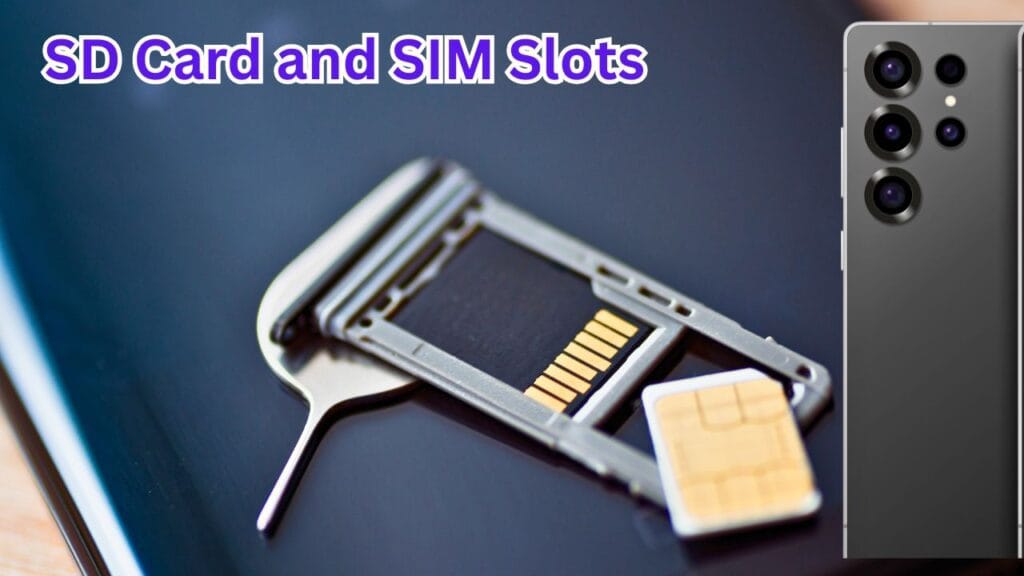
Many users ask, “Does the Samsung S24 Ultra have an SD card slot?” – The answer is no. The S24 Ultra does not support external memory cards.
However, if you’re asking, “is Samsung S24 Ultra dual SIM support?” Yes, it supports dual SIMs but both are mini SIMs not big size.
Size & Specs
You may be Wondering about that, “how big is the Samsung S24 Ultra?” It features a large 6.8-inch display, perfect for gaming and multimedia and for video streaming.
How to Take Screenshots on S24 Ultra
If you’re searching “how to screenshot on Samsung S24 Ultra“, here are the steps:
- Press Volume Down + Power button together.
- Swipe hand across the screen (enable from settings if not working).
- Use Quick Access Panel > Screenshot Icon.
- Use Edge Menu > Add Screenshot option.
- Use S Pen > Circle the area > Tap Screenshot icon.
- Use Google Assistant: Say “Take a screenshot.”
How to Power Off Samsung S24 Ultra
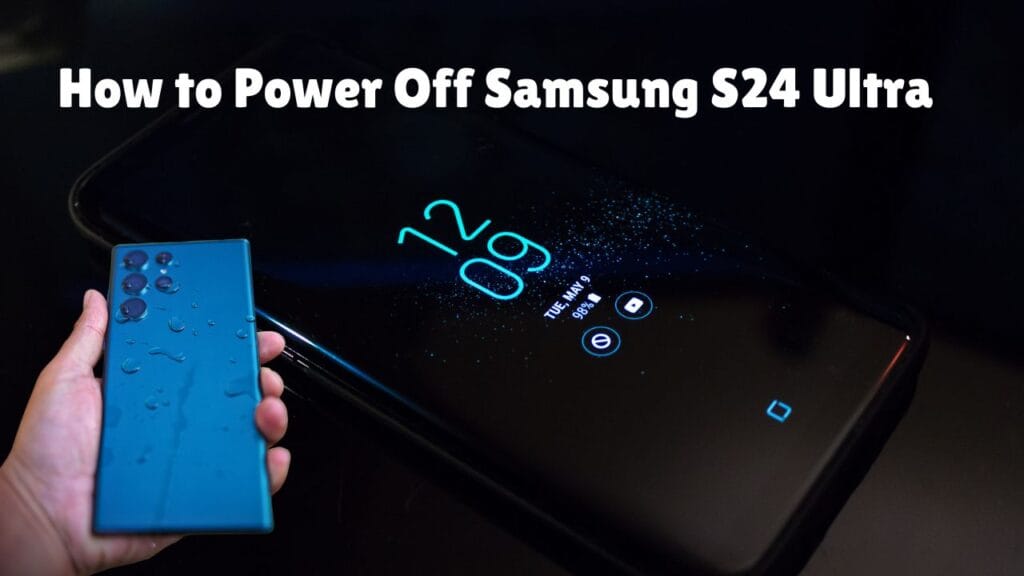
If you’re looking for “how to turn off Samsung S24 Ultra“, follow these steps:
- Press and hold Volume Down + Power button to access the power menu.
- If it doesn’t work, swipe down and tap the Power icon from Quick Access Panel.
Pricing Information & Samsung s24 ultra price UK
For those wondering about Samsung S24 Ultra price, here’s a breakdown:
- How much is Samsung S24 Ultra? Prices start around $1,199.
- How much is a Samsung S24 Ultra and how much is the Samsung S24 Ultra also fall in the same range, depending on the region and variant.
Conclusion
This blog includes A to Z information about the phone, covering its camera, processor, storage, AI features, battery, and simple tips like taking screenshots and powering off. We hope you found the helpful information about your questions. If yes, let us know in the comments and feel free to ask questions too and we will soon reply to it.
Frequently Asked Questions
Q1: Does Samsung S24 Ultra have AI features In 2025?
Yes, it includes many AI features like photo search and photo editing that help you perform different tasks easily.
Q2: Can we change our voice during calls using AI?
Yes, it allows live voice translation during calls.
Q3: How to do AI Search in Samsung S24 Ultra 2025?
Open the Google Camera, mark the area in the picture, and tap the search icon to get info on just that part.

About the Author
Hello Dear Visitor, I’m SAJJAD AHMAD a tech enthusiast with over 5 years of experience reviewing gadgets and solving everyday tech problems. I write simple, honest, and easy-to-understand articles to help you choose the right devices without confusion. I compare products, break down features, and share practical solutions so you can make smart buying decisions with confidence.