The Samsung S24 Ultra is a premium smartphone with a large display, built in S pen, a versitile camera system and Galaxy AI features. In this guide we cover its main specification like its camera, battery, design, storage and usefull tips for taking screenshots and turning off the phone. We also explain its main limitations and what to check before buying a case or accessary.
Table of Contents
Samsung Galaxy S24 Ultra Display
The Galaxy S24 Ultra has a 6.8-inch Dynamic AMOLED 2X display with a refresh rate of up to 120Hz. Its adaptive refresh rate can adjust to the content on the screen, while the anti-reflect display coating helps reduce reflections in bright enviroments.
Advantages:
- Sharp display with a high resolation.
- Adaptive refresh rate of up to 120Hz.
- Anti- reflective coating for improved outdoor visibility.
- Flat screen design, which can make screen protector installation easier.
Things to consider:
Some users man prefer the curved-screen design found on older Ultra models. A screen protector can affect how the display anti-reflective properties look depending on the protector and used.
Negatives:
- Due to the anti-reflective coating, the display may look slightly dim compared to iPhone 15 Pro Max side-by-side.
- If you install a screen protector or memory film, the anti-reflective feature doesn’t work.
- Some users prefer curved displays, so the flat design might be a downside for them.
Samsung S24 Ultra Processor and Performance
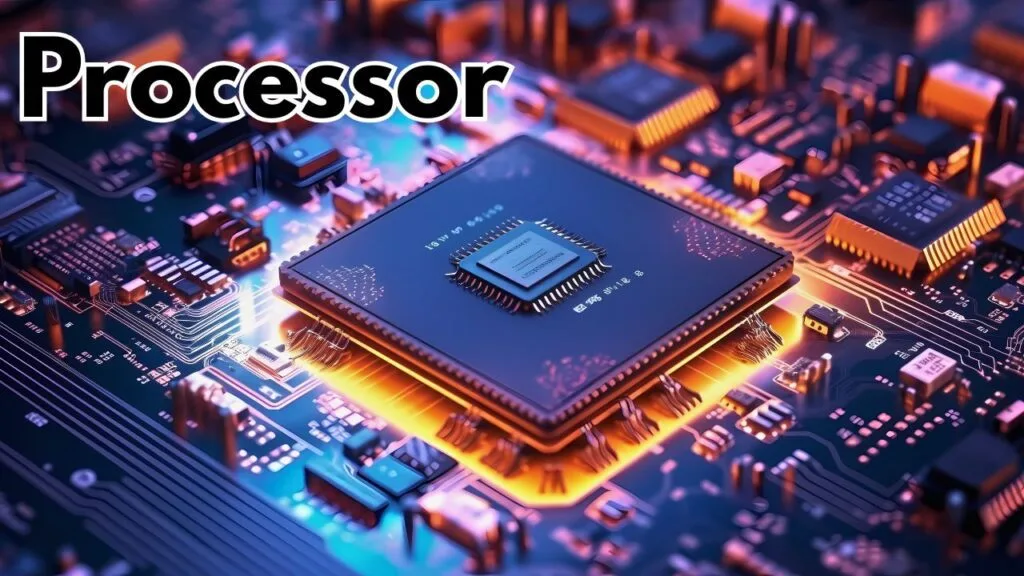
The Samsung Galaxy S24 Ultra uses the Snapdragon 8 Gen 3 for Galaxy processor. It is designed to handle demanding apps, multitasking, and mobile gaming. Actual performance and benchmark scores can vary depending on the software benchmark results, mention the test version and the devices testing conditions instead of presenting one score as a guaranteed result.
Samsung also announced seven generations of OS upgrades and seven years of security updates for the Galaxy S24 series at launch. The phones remaining support period depends on its original release date and Samsung applicable update schedule.
AI Features
Favorites:
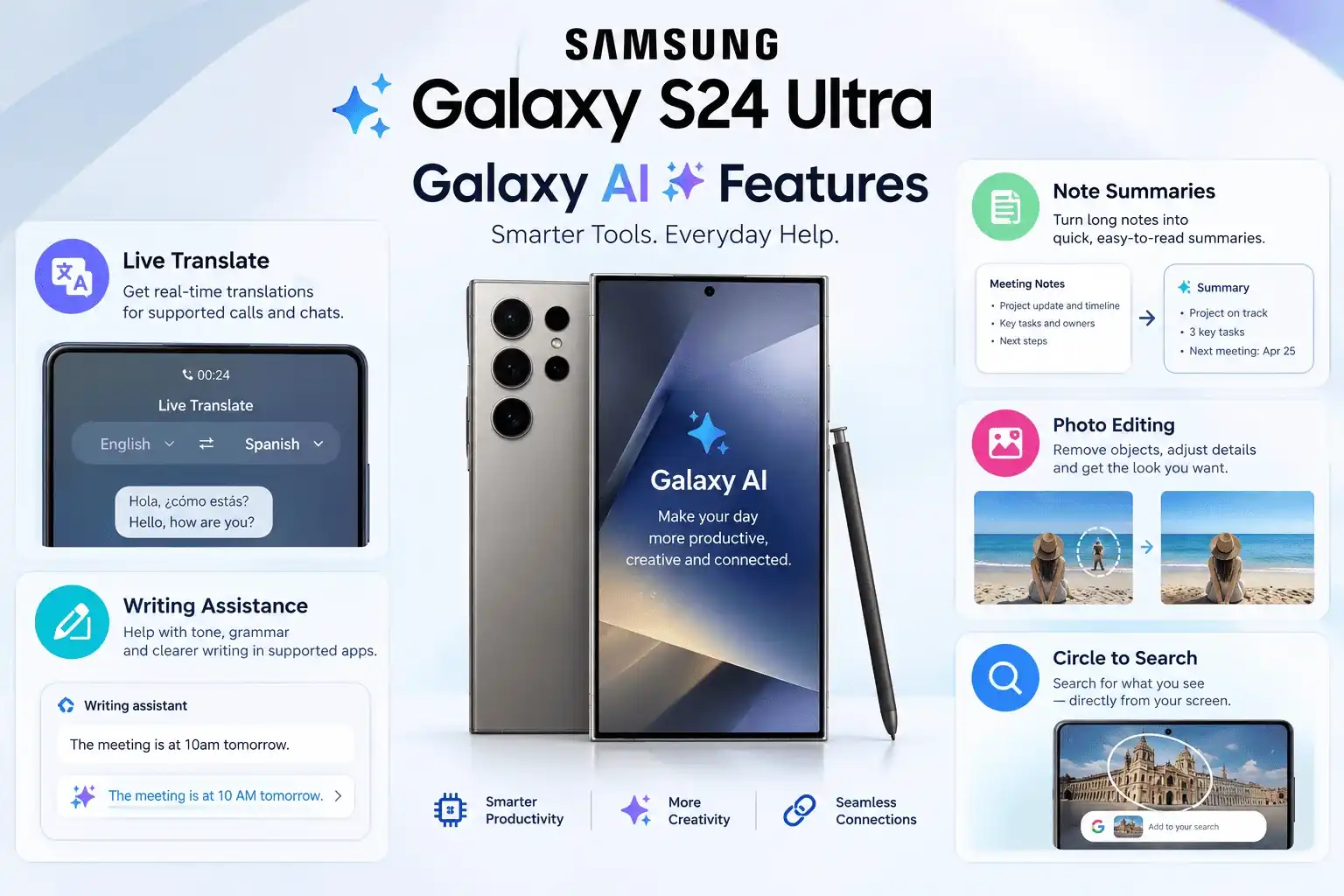
The Galaxy S24 Ultra inculdes Galaxy AI tools for supported tasks such as translations, writing assistance, note summaries, photo editing, and Circle to Search.
- Live Translate: Helps translate supported phone calls between selected languages.
- Note and writing assistance: Can help summarise notes or improve text in supported Samsung apps.
- Photo editing: Supported AI edting tools can move or move or remove objects and fill parts of an image. Results may not always look natural.
- Circle to Search: Lets you search for information about selected content on your screen without manually typing the items name.
Feature availability can depend on the software version, language, region account requirments and the service provider. Check the current terms for individual Galaxy AI and third-party features before stating that they are free or paid.
Samsung Galaxy S24 Ultra Battery
The Galaxy S24 Ultra has 5,000mAh typical battery capacity and support wired charging up to 45W wirth a compatible charger. It also support wireless charging. Battery life depends on screen brightness, mobile signal, gaming and camera use and some other settings. Charging speed can vary with the charger, cable, battery temperature, and current charge level.
Samsung Galaxy S24 Ultra Camera
The Galaxy S24 Ultra has a 200MP main rear camera, a 12MP ultra wide camera, a 50MP telephoto camera with 5x optical zoom, and a 10MP telephoto camera with 3x optical zoom. The front camera is 12MP.
Camera Highlights
- Multiple optical zoom levels for different shooting distances.
- 2x and 10x optical quality zoom options, alongside digital zoom.
- AI assisted photo editing and image processing.
- UHD 4K slow motion recording at up to 120fps.
Photo and video results depend on lighting, zoom level, camera setting, and the recording mode. Avoid describing digital zoom as lossless, because image quality can decrease as you zoom in.
Camera limitations
Instead of stating that the camera is always better or worse than an iPhone, describe the specific differences you can abserved in your own tests. For example, you can compare portrait details, skin tones, low light photos, stabilisation, or viseo quality using the same scene and settings.
Samsung S24 Ultra Design and Build
The Galaxy S24 Ultra has a titanium frame, a flat display ptotected by Corning Gorilla Armor, and a rear panel makde with Corning Gorilla Glass Victus 2. Its overall design is similar to the previous Ultra models, although the flat display is a noticeable change.
The phone has an IP68 rating for dust and water resistance under specified laboratory conditions. This does not mean it is waterproof in every situation or designed for underwater photography. Water resistance can also decrease over time.
How to Choose a Samsung Galaxy S24 Ultra Case
A good case can help protect the Galaxy S24 Ultra from everyday scratches and some accidental impacts, although no case can guarantee protection from every drop.
Before Buying a case, check these points:
- Fit: Choose a case madde specifically for the Galaxy S24 Ultra.
- Camera proection: Check whether the case has a raised edge around the camera lenses.
- Grip: A non slip finish can make the phone easier to hold.
- Buttons andd ports: Make sure the buttons are easy to press and the USB-C port ramiains accessible.
Common options include silicone, clear, ruggged, and leather styles style cases. Compare the materials , fit and protection protection feature and leather.
Types of Samsung S24 Ultra Cases in the Market
There are many types of Samsung S24 Ultra casing options available in the market. These days, you’ll find different kinds of covers such as:
- Silicone cases
- Leather covers
- Transparent cases
- Smooth finish cases
- Waterproof covers
- And many other designs.
Does the Samsung Galaxy S24 Ultra Have an SD Card Slot?
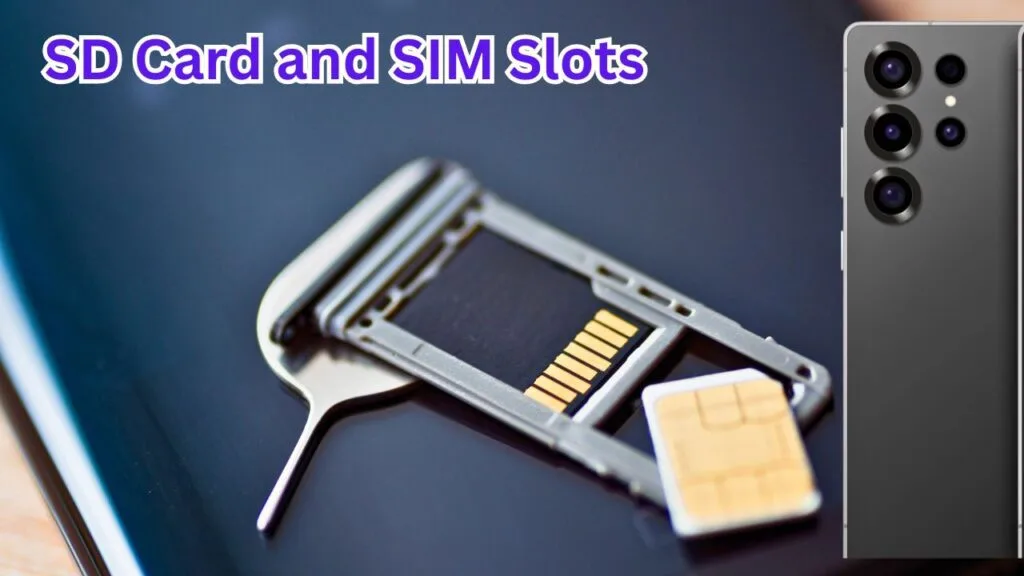
No. The Samsung Galaxy S24 Ultra does not support a microSD card, so you cannot expand its internal storage using a memory card. Choose s storage variant that suits your needs before buying the phone.
Does the Samsung Galaxy S24 Ultra Support Dual SIMS?
The Galaxy S24 Ultra supports dual-SIMS. But the exact combination of physical SIM cards and eSIMs depends on the regional model. Check the specification for your particular model and mobile carrier before purchasing.
Samsung S24 Ultra Key Specifications
| Feature | Specification |
|---|---|
| Display | 6.8-inch Dynamic AMOLED 2X |
| Refresh rate | Up to 120Hz |
| Processor | Snapdragon 8 Gen 3 for Galaxy |
| Main rear camera | 200MP |
| Front camera | 12MP |
| Battery capacity | 5,000mAh typical |
| Frame | Titanium |
| Memory card | No microSD card slot |
| Water and dust resistance | IP68 |
| S Pen | Built in |
RAM and storage configurations can vary by market. Check the specific model available in your country before listing its memory options.
How to Take Screenshots on Samsung S24 Ultra
Method 1: Use the buttons
- Open the screen you want to capture.
- Press the side button and volum Down button together.
- Release both buttons when the scree flashes.
- Open the screenshot preview to edit or share the image.
Method 2: Use Palm Swip
If the feature is availble and enabled on your phone, open settings and search for Palm swip to capture. Turn it on, then swip the edge of your hand across the screen to take a screenshot.
Some apps may block screenshots for privacy or security reasons.
How to Power Off Samsung S24 Ultra
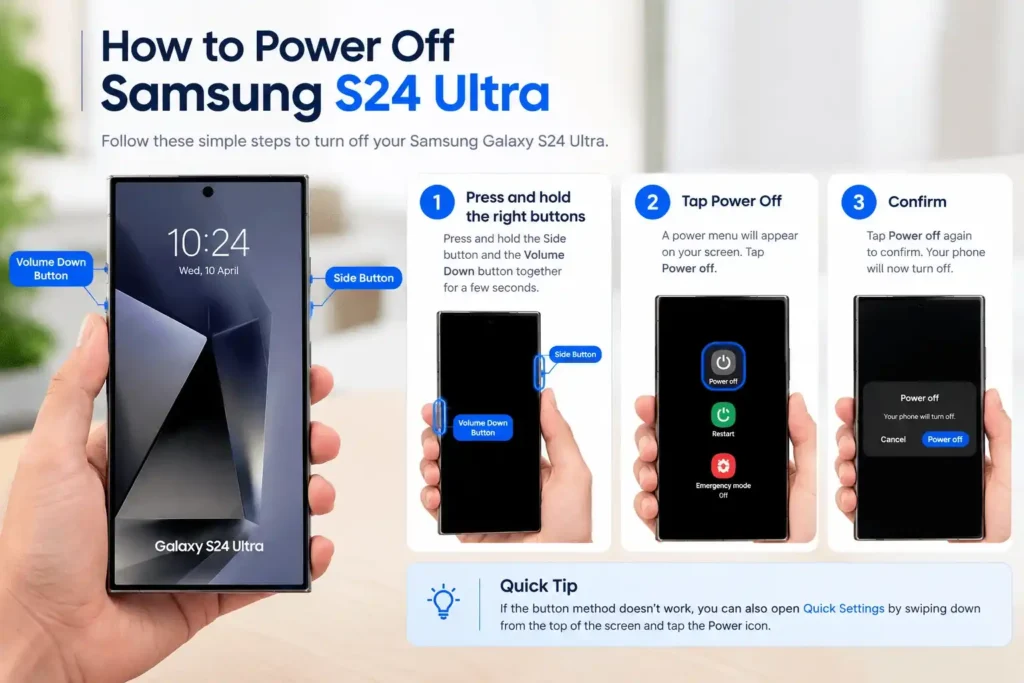
If you’re looking for “how to turn off Samsung S24 Ultra“, follow these steps:
- Press and hold Volume Down + Power button to access the power menu and tap Power off.
- If it doesn’t work, swipe down and tap the Power icon from Quick Access Panel.
Samsung Galaxy S24 Ultra Price
The Samsung Galaxy S24 ultra price depends on the country and region, storage variant, retailer and whether the phone is new or refurbished. Its original US launch price started at $1,299 for the base storage version, but that is not current retail price quete.
For the current price in the UK, Pakistan, or any other market, check local retailers and compare the exact storage variant, warranty and seller. Avoid using one country’s launch price as the current price inn every region.
Conclusion
This blog includes A to Z information about the phone, covering its camera, processor, storage, AI features, battery, and simple tips like taking screenshots and powering off. We hope you found the helpful information about your questions. If yes, let us know in the comments and feel free to ask questions too and we will soon reply to it.
Frequently Asked Questions
Does the Samsung Galaxy S24 Ultra have AI features?
Yes, it includes many AI features like photo search and photo editing that help you perform different tasks easily.
Can the Samsung Galaxy S24 Ultra translate phone calls?
Yes, it allows live voice translation during calls and selected languages. Check your device settings for available languages and requirements.
How to use Circle AI Search in Samsung S24 Ultra?
Open the content you want to search, then press and hold the home button or navigation handle, depending on your navigation settings. Circle highlight, or tap the item on the screen to search to search for it. Availability and activation steps can vary with software settings.
Is the Samsung Galaxy S24 Ultra waterproof?
It has an IP68 dust and water resistance rating under specified conditions but it is not waterproof in every situation. Avoid deliberately submerging the phone or using it for underwater photography.

Sajjad Ahmad
Author & Technology Content Creator
Technology enthusiast with 5+ years of experience exploring gadgets and helping users understand everyday tech problems.
About GadgetsArina.com
A technology-focused website providing gadget information, product comparisons, and practical troubleshooting guides.
Content Areas
Smartphones · Laptops · Headphones · Smartwatches · Tech Guides