If you’re looking for Best Laptop with Touch Screen in 2025 that gives you a full professional environment like a studio, has great battery backup, and can handle all your work without problems — then you’re in the right place.
In this blog, we’ll talk about best laptop with touch screen in 2025. that are not just powerful but also beautiful and long-lasting.
Table of Contents
1. Acer Swift 14 AI
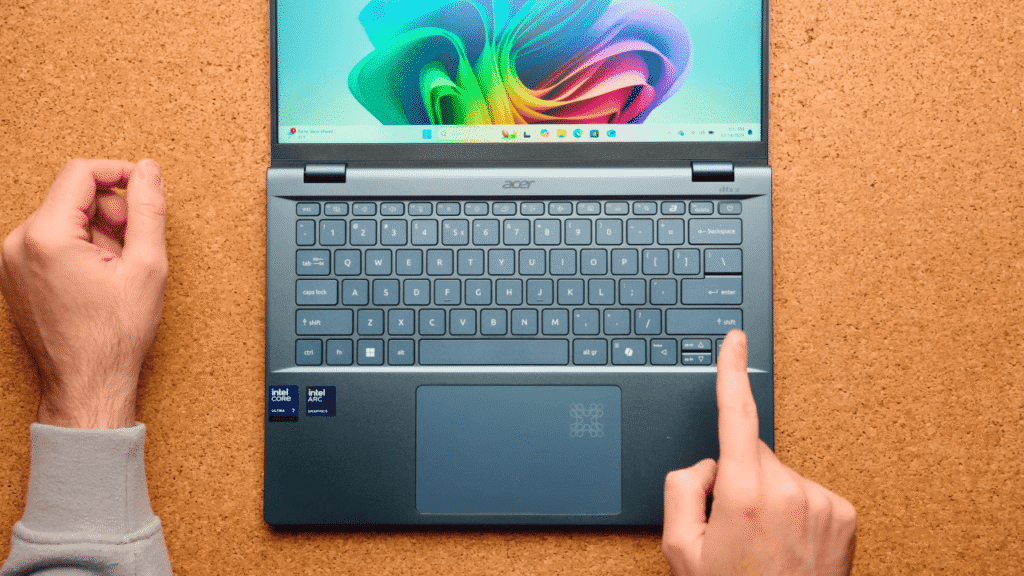
If you are looking for best laptop with touch screen in 2025 that is lightweight, very powerful, comes with a touchscreen, gives you a full studio-like environment, and has a long battery life, then you are in the right place. In this blog, we will discuss five such laptops that are powerful, beautiful, and long-lasting. Once you buy them, you can do all kinds of work for many years without any problem. In this post, we will talk about Acer, Asus, and Lenovo, which are premium and international companies.
Looking for best laptop with touch screen in 2025? You’re in the right place.
Unboxing
First, let’s start with the unboxing of Acer Swift 14 AI. It comes in simple packaging, which is quite minimalistic. We get AI PC branding with the Swift series logo. Inside the retail box, you get a setup guide, the laptop, a cable, and a charging adapter.
Design and Build Quality
This laptop comes with a metal body and it makes the laptop so premium and shiny. The glass covering on top adds a nice modern look.The weight of this laptop is only 1.38Kg it makes this laptop so slim. Logos of Acer and AI PC are on the lid. The sides have several ports and slots, and the bottom part is designed for good airflow.
It has 180° hinge rotation, which is great for meetings. The touchpad has an indicator light that looks stylish. On the back, it has dual cooling grills and rubber strips to lift the laptop slightly for better ventilation.
Keyboard and Trackpad
The keyboard has good spacing and typing travel, so typing feels smooth. It comes with Microsoft Copilot+ key and AI Sense features that let you open AI apps quickly. The keyboard has 3 levels of backlight.
The trackpad is large and smooth and gives a good click feel. Overall, it gives a great user experience.
Specs and Performance
It comes with the Snapdragon X Plus processor, Qualcomm Adreno GPU, 16 GB RAM, and 1 TB SSD (with 871 GB usable). It runs on Windows Copilot+ PC version and supports AI features like:
- Co-Creator AI apps
- Live captions
- AI video call enhancements
- Noise cancellation
- Auto lock with face recognition
Display and Audio
It has a 14.5 inch QHD Resolution display with 120Hz refresh rate. The screen is sharp, certified low blue light, and perfect for watching content. It includes high-quality speakers but for better sound, headphones are still recommended.
Battery
Battery life is amazing — up to 26 hours of video playback claimed. In daily use, you can get a full day on one charge. It supports 65W fast charging.
- Ports and Connectivity:
- Wi-Fi 7
- Bluetooth 5.4
- USB-A and USB-C ports
- Headphone jack
Final Note
The Acer Swift 14 AI is a good business laptop because of its build quality, design, features, Snapdragon X Plus processor, and AI capabilities. It is also good for daily use, AI applications, and light gaming. The display is beautiful, and the battery life is strong.
2. ASUS ProArt PX13
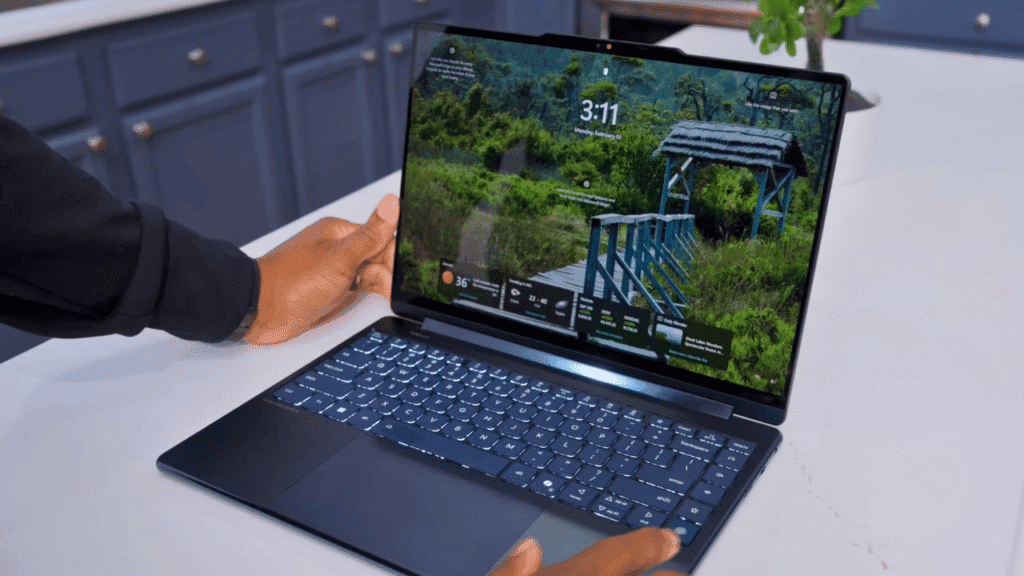
The Asus ProArt PX13 is a most demanding laptop for tech and creative professionals. This is a convertible laptop with stylus input and has a high quality display for accurate colors and top notch screen resolution with outstanding video results.
It handles heavy video editing, photo work and design software without slowing down. The build is too strong and the hinge feels reliable.
No matter your profession, the best laptop with touch screen in 2025 can transform how you work.
Build and Design
It has a full metal body with a solid feel. It also has military-grade durability. The hinge rotates 360°, and the laptop weighs only 1.38 kg, so it’s easy to carry.
- It includes all important ports:
- Charging port
- HDMI
- Thunderbolt
- Audio jack
- USB-A
- USB-C
- SD card slot
One thing that could be improved is the power button placement — it’s easy to press by mistake.
Keyboard and Trackpad
Typing is comfortable with good key travel. No fingerprint sensor, but Windows Hello face unlock is there. The trackpad has ASUS’s dial pad — if you get used to it, it’s useful for editing apps.
Display
The screen is one of the best features:
- OLED panel
- 500 nits brightness
- Touch support
- Supports stylus (ASUS Pen included)
- But the refresh rate is only 60Hz, which is low for the price. Also, the screen is a bit reflective in bright rooms.
- It supports 1.07 billion colors, 100% DCI-P3 color range — great for color-accurate work.
Performance
It has AMD Ryzen AI 9 processor, 24 GB RAM, 1TB SSD, and NVIDIA RTX 4050 GPU (6GB). You can easily edit 1080p or 4K videos, even on battery. It doesn’t heat up quickly.
Pros
- Excellent display for creators
- Strong performance for heavy tasks
- Portable for its power level
Cons
- Expensive for casual users
- Fans can get loud during heavy use
You also get:
- Microsoft Copilot button
- 3 months Adobe Creative Cloud trial
- MS Office (pre-installed)
Price
It’s priced around ₹1,80,000 INR, and you get:
It’s a good choice if you need Windows for editing and want top display quality. But at this price, you can also look at MacBook Pro options.
3. Lenovo Yoga 9i
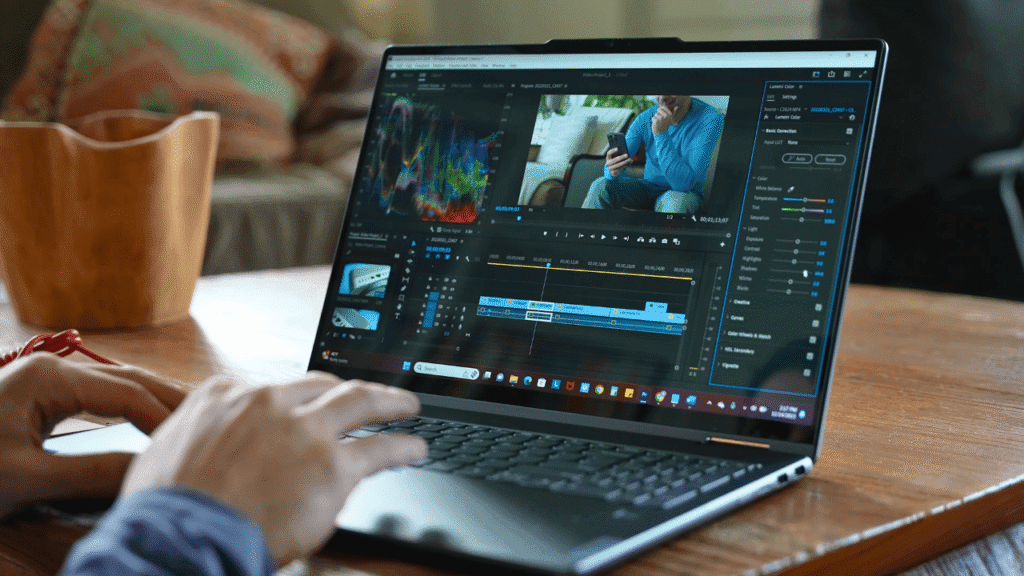
The Lenovo Yoga 9i is the premium model in the Yoga series. It has better build quality, stronger performance and AI hardware for faster processing. The touch screen is very sharp and supports a stylus and it feels like a smart phone touchscreen. The sound quality is very good and provides excellent results while consuming the music and streaming online. It has a good build quality and it feels hard in hand. It is made for those people who want a long lasting and high performance device.
Audio
The speakers are very loud and clear, with strong bass and stereo effect. It has four speakers in total: two woofers and two tweeters. The sound is tuned by Bowers & Wilkins and supports Dolby Atmos. You can also choose audio modes in Lenovo Vantage software.
Webcam & Mic
It has a 5MP webcam (supports 1080p and 30fps), with IR face unlock and multiple microphone modes for better clarity during calls. It also has noise cancellation for speakers, which improves the voice quality even in noisy places.
Battery:
It has a 75Wh battery, with Intel Evo certification, giving 9 to 10 hours backup on light usage. It supports rapid charging — 15 minutes of charge gives 2.5 to 3 hours of use.
Performance
Powered by Intel Core Ultra 7 (155H) with 12 performance threads and AI boost. It has 32 GB LPDDR5x RAM, 1TB Gen4 SSD, and Intel Arc iGPU. The laptop is very responsive and manages tasks well.
AI Features
It includes a dedicated AI chip called Lenovo LA3, which controls when CPU, GPU, or NPU should work more. This improves battery life and performance by distributing the load properly.
You also get AI tools like Studio Effects, face unlock, and more. Thanks to the NPU, most AI tasks use less battery and are smoother.
4.Lenovo Yoga 7i 16
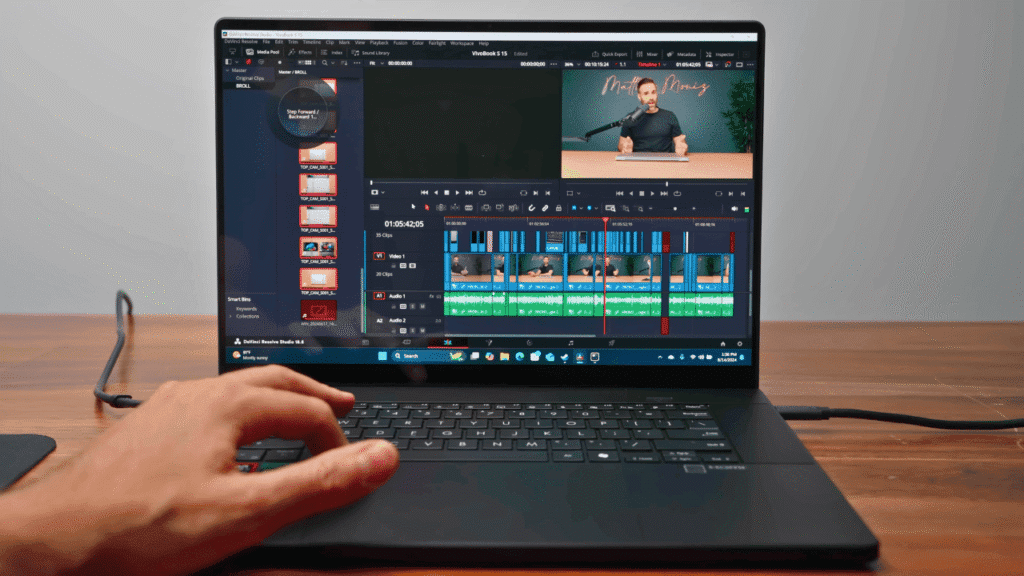
Today, we have with us the Lenovo Yoga 7i laptop. But this isn’t just a laptop — you can also flip it around and use it as a tablet. So, if you’re looking for a device in the market that works both as a laptop and a tablet, this review is going to be very useful for you.
By the way, this video is made in collaboration with Intel India and Lenovo.
Unboxing
Inside the box, you get:
- The Lenovo Yoga 7i laptop
- A 65W power adapter
- A touch-enabled display with a stylus pen
- A stylus attachment for easy storage
Intel EVO Certification
This laptop comes with Intel EVO certification, which isn’t something every laptop gets. EVO-certified laptops meet strict requirements, including:
- Slim and lightweight design
- A bright display with a minimum Full HD resolution
- At least a 1080p webcam
- AI-powered background noise cancellation for video calls
- The ability to set a custom background during calls
- Instant Wake — the laptop turns on in under a second when you open it
- Fast charging via Type-C — 30 minutes of charge gives you at least 4 hours of use
- Minimum 9.5 hours battery backup (usually more)
- Wi-Fi 6 and Bluetooth 5.2 for fast connectivity
- 30% faster network speeds compared to many other laptops
- Intel Unison — lets you connect your Android or iOS phone for file transfers, calls, and messages directly on your laptop
In total, EVO certification requires meeting over 75 technical and hardware standards — so when you see the EVO badge, you know you’re getting premium quality.
Processor & Performance
This Yoga 7i is powered by a 13th Gen Intel Core i7 P-series processor, which balances performance and battery efficiency. Here’s what you get:
- 12 cores (4 performance cores + 8 efficiency cores)
- 16 threads
- Clock speeds up to 5.0 GHz
- 18MB Intel Smart Cache
- Soldered DDR5 RAM (5200 MHz) — non-upgradable, so choose wisely
- 1TB PCIe 4.0 NVMe SSD with excellent read/write speeds
We ran benchmark tests, and the results were solid:
- Cinebench R23 — strong performance scores
- Geekbench 6 — around 7600 in multi-core
- PCMark — around 4000 points
In real use, multitasking is smooth — you can have multiple tabs and applications open without stutter.
Ideal Use Cases
This isn’t a heavy gaming laptop, but for productivity work, it’s excellent. Perfect for:
- Interior design, fashion design, or creative work using the stylus
- Coding, presentations, and office tasks
- Photo editing in Photoshop (real-time color grading works well)
- Video editing in 1080p (4K editing will struggle)
- Casual gaming — games like Valorant run at ~150 FPS on low settings, GTA V at ~30 FPS
If you want a laptop purely for gaming, Lenovo’s Legion series would be a better choice.
Build & Design
The Yoga 7i is slim and lightweight with an aluminum build that feels premium.
- 360° hinge feels sturdy — no wobble or creaking
- One-hand open design with Instant Wake
- Comfortable to hold without a case
- Full-size backlit keyboard (slight flex, but not noticeable in use)
- Responsive trackpad with no lag
- Dolby Atmos speakers — loud, clear, and great for media
Ports & Connectivity
- HDMI port
- 2× Thunderbolt 4 ports
- 3.5mm headphone jack
- USB 3.2 port with Always-On charging
- microSD card slot
- Privacy shutter for webcam
- Face ID login (secure and fast)
The stylus attaches via an included adapter (USB-based) — a magnetic attachment would have been better.
Display
The 14-inch OLED display is one of the best I’ve seen in this category:
- 100% DCI-P3 color accuracy
- Dolby Vision & HDR support (HDR needs to be enabled in settings)
- 400 nits brightness (usable even near a window)
- Full HD resolution, but supports streaming up to 4K content
- Excellent touch response with 10-point multi-touch
- Great for design and drawing — low latency and accurate stylus tracking
Lenovo Yoga 7i Battery Life
It packs a 71Wh battery, which easily delivers 9.5+ hours with mixed use. In my heavy testing (gaming, multitasking, and benchmarks), I still had ~51% battery left after 4–5 hours.
Final Verdict
If you need a compact, premium 2-in-1 laptop that combines great performance, excellent build quality, and tablet functionality, the Lenovo Yoga 7i is an easy recommendation. It’s not meant for hardcore gaming, but for productivity, design, and everyday work, it’s outstanding.
5.Dell XPS 13
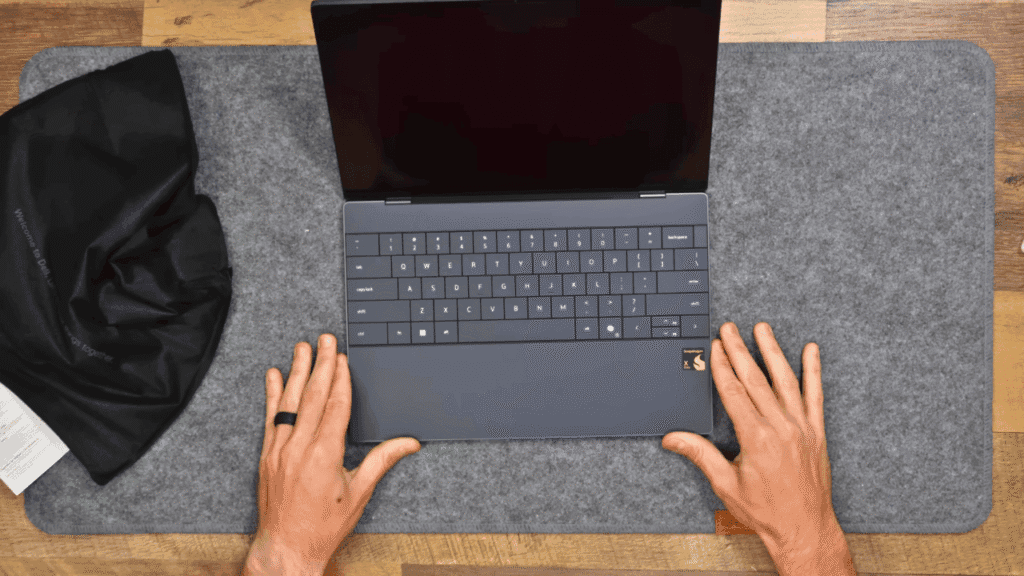
The Dell XPS 13 remains one of the most premium Windows laptops from best laptop with touch screen in 2025. It’s designed for users who want high build quality, portability, and strong performance in a slim, professional form — without switching to macOS.
Specifications
This variant comes with Qualcomm’s Snapdragon X Elite X1E-80 processor, 32 GB LPDDR5x RAM (non-upgradable), and a fast NVMe SSD. The integrated Adreno graphics handle everyday tasks and media work comfortably. Battery efficiency is a strong point — one of the reasons this machine appeals to frequent travelers and mobile professionals.
Keyboard & Trackpad
The edge-to-edge keyboard uses large, well-spaced keys with a comfortable travel and solid feedback. White backlighting is clean and functional. The fingerprint scanner is built into the power button for quick logins. The glass trackpad is haptic-based, seamless in design, and responsive across its entire surface.
Ports & Connectivity
You get two USB4 Type-C ports that support DisplayPort and 65W charging. There’s no HDMI port, microSD slot, or included dongle, which is a letdown for a laptop at this price.
Display
- Size: 13-inch compact display.
- Tilt Range: Up to ~170° — useful for touch input but not fully flat.
- Resolution Options: Up to 3K OLED panel with excellent sharpness and rich colors.
- Touch Functionality: Available on certain configurations for intuitive navigation.
Battery Life
Battery life is one of the XPS 13’s strongest points. Thanks to the Snapdragon X Elite’s power-efficient ARM architecture, you can easily get a full day of work on a single charge — we’re talking 10 to 12 hours with typical office tasks, web browsing, and streaming. Even with heavier use, like multiple tabs, video calls, and light photo editing, it comfortably lasts 7–8 hours.
The included 60W USB-C charger is compact and supports fast charging, so you can get around 50% in just under an hour. Since it uses standard USB-C, you can even charge it with a phone charger in a pinch — though it’ll be slower. For frequent travelers or anyone working away from a desk, the battery performance here is a real confidence booster.
Best Touch Screen Laptop in 2025 – Comparison Table
| Laptop Model | Key Highlights | Display Quality | Performance | Battery Life | Best For | Price Range* |
|---|---|---|---|---|---|---|
| Acer Swift 14 AI | Lightweight (1.38kg), metal body, 180° hinge, long battery life | 14.5″ QHD, 120Hz, Low Blue Light | Snapdragon X Plus, Adreno GPU, 16GB RAM, 1TB SSD | Up to 26 hrs video playback | Business, AI apps, light gaming, daily use | Mid–High |
| ASUS ProArt PX13 | Convertible 360° hinge, OLED, stylus included, for creators | OLED, 500 nits, 100% DCI-P3, 60Hz | AMD Ryzen AI 9, RTX 4050, 24GB RAM, 1TB SSD | 8–10 hrs | Video editing, design, color-accurate work | Premium |
| Lenovo Yoga 9i | Premium build, Bowers & Wilkins audio, AI boost, stylus support | 14″ Touch, Dolby Vision | Intel Core Ultra 7, 32GB RAM, 1TB SSD, Intel Arc | 9–10 hrs, Rapid charge | Creatives, multitasking, entertainment | Premium |
| Lenovo Yoga 7i | 2-in-1, Intel EVO certified, good stylus performance | 14″ OLED, 100% DCI-P3, Dolby Vision, HDR | 13th Gen Intel i7, 16GB RAM, 1TB SSD | 9.5+ hrs, Fast charge | Productivity, creative work, students | Mid–Premium |
| Dell XPS 13 (2025) | Slim, portable, premium design, haptic trackpad | Up to 3K OLED Touch, vibrant colors | Snapdragon X Elite, 32GB RAM, NVMe SSD | 10–12 hrs, Fast charge | Professionals, travel-friendly work | Premium |
Conclusion: Best Laptop with Touch Screen in 2025
This blog was all about the Best Laptop with Touch Screen in 2025. We didn’t just list them — we explained everything in detail so you can easily compare and choose the right one based on your needs. All five laptops are powerful and premium, and any one of them can be your perfect choice depending on your budget and requirements.
Frequently Asked Questions (FAQs)
Q1. Are touchscreen laptops good?
Yes, modern touchscreen laptops are useful and smart. You can switch between apps easily and do tasks faster.
Q2. Which is the No.1 laptop brand?
The world’s most demanded companies are Dell, HP, Lenovo, Acer, ASUS, Microsoft, and Samsung all work internationally.
Q3. Any disadvantages of touchscreen laptops?
Touchscreen laptops are very costly and delicate. You have to use them carefully if they slip then they break easily.
Q4. Dell vs HP which one is better?
Dell usually has better build quality and lasts longer than HP. HP laptops are often more delicate and may not be as durable.
Q5. How long does a touchscreen laptop last?
If you buy from a good brand and take care of it, a touchscreen laptop can easily last 5 to 10 years.
Q6. How much RAM is enough for a laptop?
At least 16 GB RAM is important for any good laptop. RAM plays a big role in smooth performance and multitasking.

About the Author
Hello Dear Visitor, I’m SAJJAD AHMAD a tech enthusiast with over 5 years of experience reviewing gadgets and solving everyday tech problems. I write simple, honest, and easy-to-understand articles to help you choose the right devices without confusion. I compare products, break down features, and share practical solutions so you can make smart buying decisions with confidence.